vSpace Client
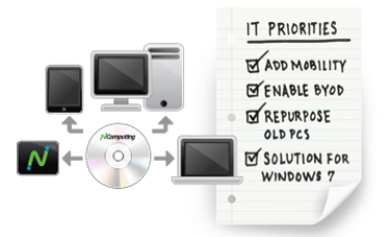
One solution for your top IT priorities.
vSpace Client for Windows allows you to lower costs while
adding new capabilities such as remote, mobile, and legacy
PC access to NComputing vSpace deployments. Extend the
value of our easy to use, but incredibly powerful vSpace Server
desktop virtualization software to any Windows PC, laptop or
netbook.
One solution for your top IT priorities.
vSpace Client for Windows allows you to lower costs while
adding new capabilities such as remote, mobile, and legacy
PC access to NComputing vSpace deployments. Extend the
value of our easy to use, but incredibly powerful vSpace Server
desktop virtualization software to any Windows PC, laptop or
netbook.


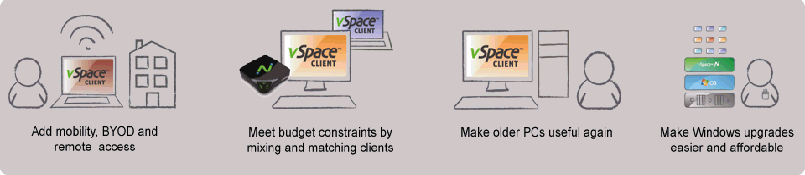
Use Cases
Key Benefits
- Re-purpose Old PCs - Leverage existing hardware
investments by re-purposing out-of-date Windows OS
devices to access virtual desktops. - Enable BYOD - Support a "bring your own device" computing
model. - Simple Upgrades - Avoid costly and time consuming
individual PC hardware and software upgrades. - Priced Right - With a usage based licensing model.
- Build As You Grow - Get desktop virtualization benefits
incrementally.
Over View Video
"I can even dust off PCs left for dead and I can do this with no additional staff or effort."
- David Hoyt, Director or Technology, Mesick Consolidated School District
- David Hoyt, Director or Technology, Mesick Consolidated School District
vSpace Client in Use


vSpace Client makes it possible to give new life to our existing PCs, delivering high performance desktop
computing access and allowing users to access the programs and data stored on the host machine. In addition it
is easy to install and we can use the features of the vSpace Server console to manage the computers that use
vSpace Client in the same network."
- Eng Firas, Technical Support Manager, LKD Technologies
computing access and allowing users to access the programs and data stored on the host machine. In addition it
is easy to install and we can use the features of the vSpace Server console to manage the computers that use
vSpace Client in the same network."
- Eng Firas, Technical Support Manager, LKD Technologies
System Requirements
vSpace Client in Action
vSpace Server
vSpace Server 6.6.2.3 or newer
vSpace Client
Windows 7 SP1 (32-bit and 64-bit)
Home Premium
Professional
Enterprise and Ultimate
Home Premium
Professional
Enterprise and Ultimate
Windows XP SP3 (32-bit)
Home and Professional
Home and Professional
Windows Device
Windows 7:
Device should have a
minimum of a Pentium 4
1 GB RAM per Microsoft
"Designed for Windows
7" logo
Device should have a
minimum of a Pentium 4
1 GB RAM per Microsoft
"Designed for Windows
7" logo
Windows XP:
Device should have a
minimum of a Pentium 4
512MB RAM per
Microsoft "Designed for
Windows XP" logo
Device should have a
minimum of a Pentium 4
512MB RAM per
Microsoft "Designed for
Windows XP" logo



 |  |  |  |  |
 |  |  |  |  |  |
| 141 Washington Dr. Mangilao, Guam 96923 Tel: 671-727-5780 Cell: 671-727-5759 Email: admin@pcmerge.com |